
Assigning a vendor owner and who can manage vendors
Every vendor needs an assigned owner before anyone can review it — the owner is the person accountable for keeping that vendor reviewed and current, and with no owner set, the review and assessment actions on that vendor are blocked outright. Creating, editing, and deleting the vendor record is open to your admins and organization owners. But running the review itself — starting or completing a review, uploading reports, generating findings — is reserved for that vendor's assigned owner, so pick the right person for the Owner field up front.
Who can be a vendor owner
The owner can be any user in your organization that you're allowed to assign. There's no special "reviewer" role to grant first — you're picking the person responsible for that vendor, so choose whoever will actually run its reviews and hold its documentation.
Who can do what
There are two different things you can do to a vendor, and they're gated differently.
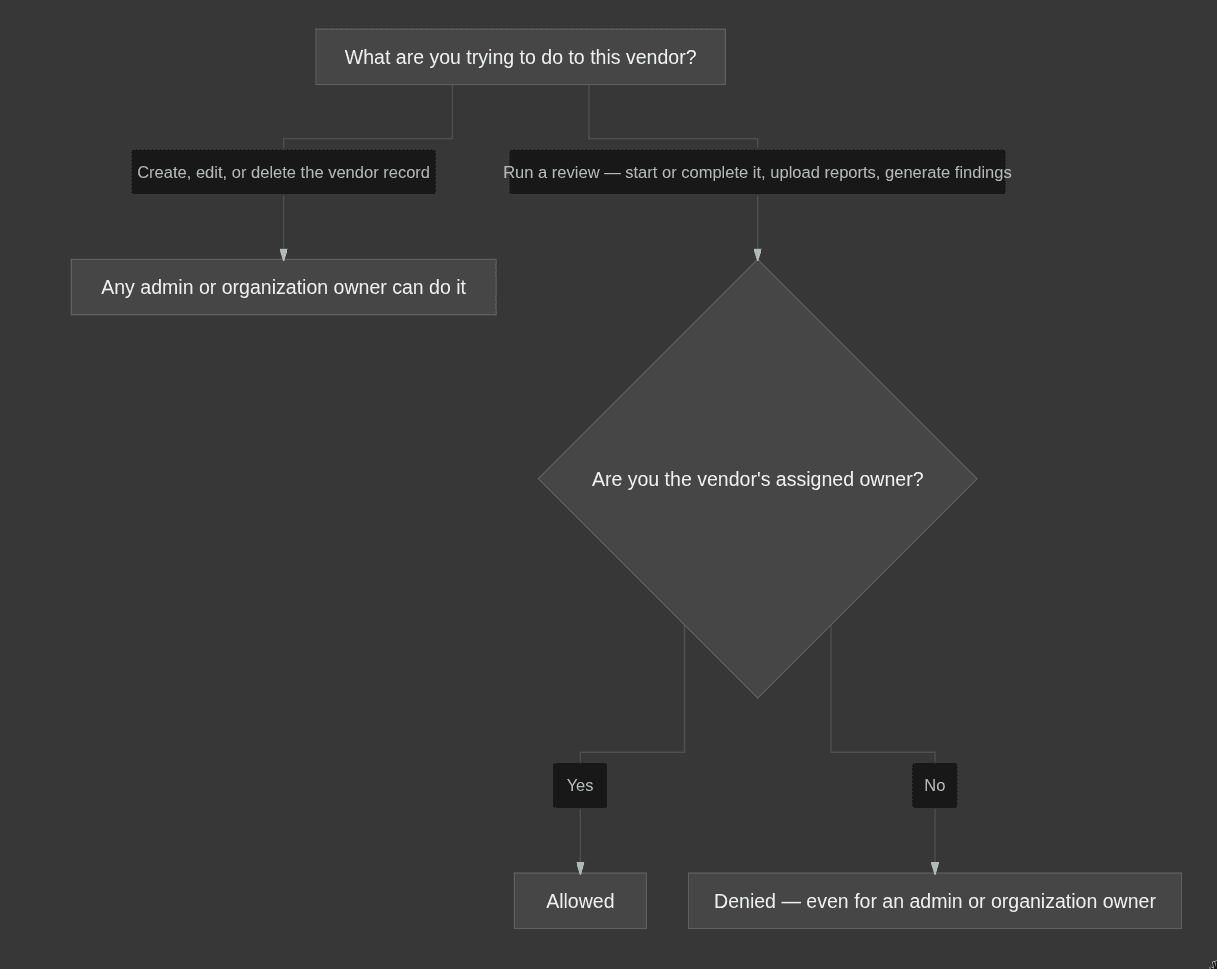
- Manage the vendor record — creating, editing, and deleting the vendor — is available to your admins and organization owners. This is about the vendor's details: its name, its risk level, its status, and who owns it.
- Run the review workflow — starting or completing a review, uploading reports, and generating findings — requires the vendor's assigned owner. Being an admin or an organization owner is not enough on its own — only the person named in that vendor's Owner field can run its review.
The trap: admin access is not owner access
This is the one that catches people. An organization owner who is not the assigned owner can still see the review action buttons — but clicking them fails with "Access denied: Only vendor owner can perform this action." Your organization owner is a role across the whole workspace; a vendor's owner is the specific person named on that one vendor. They're different things, and review access follows the vendor's owner, not your organization-wide role. If someone can't complete a review or upload a report on a vendor they should be handling, the fix is almost always the same: make them the assigned owner of that vendor.
How to reassign an owner
Change the vendor's Owner field to the new person. That hands off the full review workflow — the new owner can immediately start reviews, upload reports, and generate findings, and the previous owner can no longer run them. Reassign whenever ownership of a vendor moves between people.
Common mistakes
- Leaving a vendor without an owner. It looks fine in the list, but every review action on it is blocked until you assign one.
- Assuming an admin can review any vendor. Admin rights cover the vendor record, not the review workflow. Only the assigned owner can run reviews.
- Confusing your organization owner with the vendor's owner. The organization owner role does not automatically grant review access to a vendor they aren't assigned to.
- Chasing a denied button instead of the owner field. When a review action is refused, check who's set as the vendor's owner before anything else.