
What do Active, Inactive and Off Boarded mean — and when should I delete a vendor instead?
A vendor's Status decides one thing that matters most: whether your vendor tests still evaluate that vendor. Active and Inactive vendors are in scope — the tests evaluate them, so a missing or overdue review can still fail. Off Boarded vendors are out of scope — the tests skip them, and their completed reviews and uploads stay on the record as history. Deleting also takes a vendor out of scope, but it wipes that history permanently.
What each status means
- Active — a vendor you use today, and the default for anything on your list. In scope for the vendor tests.
- Inactive — a vendor you've paused or aren't using right now but want to keep on the inventory. Still in scope: a missing or overdue review on an Inactive vendor can still fail a test.
- Off Boarded — a vendor whose relationship has ended, kept on the inventory as a legacy record. Out of scope for the vendor tests, and its completed reviews and uploads stay on the record.
To off-board a vendor, set its Status field to Off Boarded on the vendor form. That's the whole process — there's no separate off-boarding workflow.
Off-board or delete?
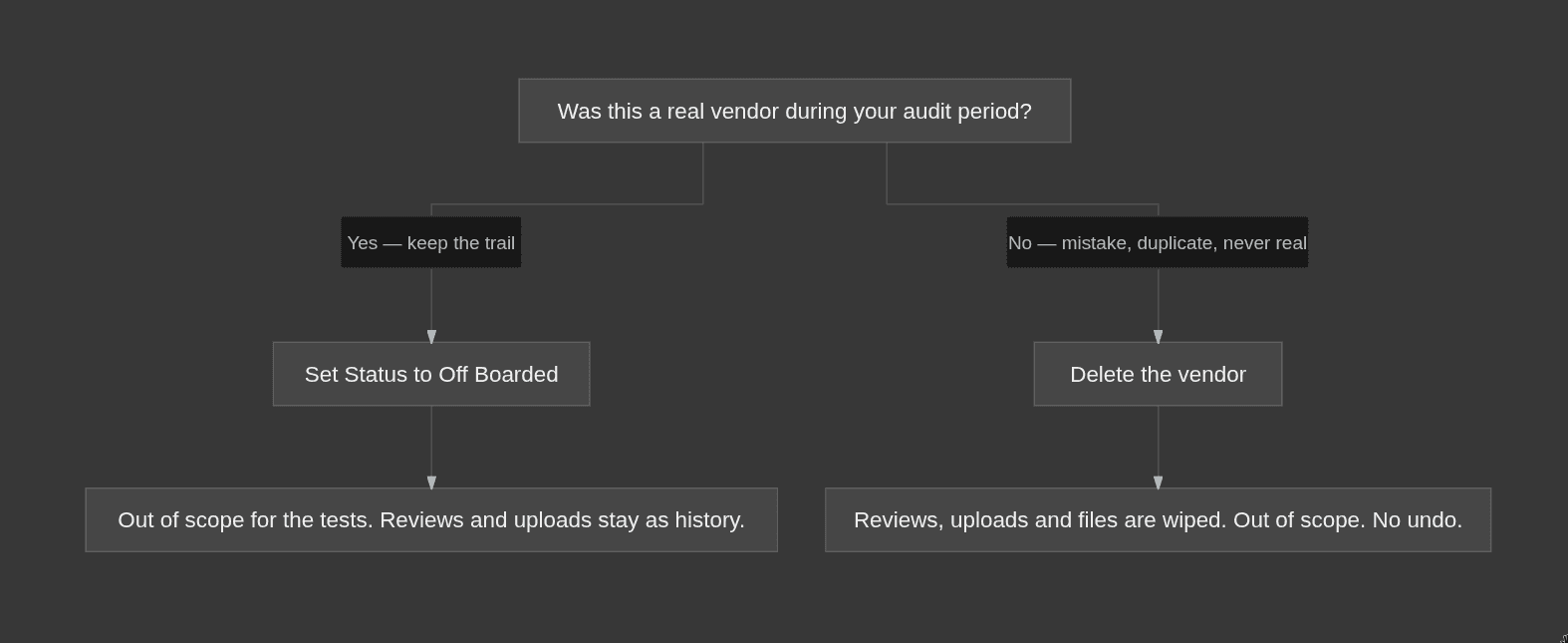
Both take a vendor out of scope. The difference is what happens to the evidence: off-boarding keeps it, deleting destroys it.
What happens | Off Boarded | Delete |
|---|---|---|
Stays on the inventory | Yes, as a legacy record | No |
In scope for the vendor tests | No | No |
Reviews, uploads and questionnaires | Kept as history | Permanently removed, including uploaded files |
Reversible | Yes — set the Status back if the relationship resumes | No |
Off-board when the vendor was real during your audit period and you need the trail: the completed reviews, the uploaded reports, and the fact that you ended the relationship deliberately. Delete only vendors that should never have counted — a duplicate, a mistake, or a name with no real relationship behind it. Deleting removes the vendor along with its reviews, uploads, questionnaires and the files you uploaded, and marks that vendor's evidence Not Applicable, meaning it no longer counts toward any test either way.
Only pausing the relationship and you may come back? Use Inactive instead. An Inactive vendor stays in scope, so keep its review current — see Review cadence and when a review is due.
Examples
- A tool you switched away from mid-year. You used it for six months, then moved off it, and you want its completed review to stand as evidence for the period it covered. Set Status to Off Boarded: the vendor drops out of the tests and the review history stays.
- A duplicate entry, or a vendor added by mistake. There was never a real relationship behind it. Delete it — its records go and its evidence stops counting immediately.
- A vendor you've paused but may return to. Set Status to Inactive. It stays on your inventory and stays in scope, so keep its review current if you want it to keep passing.
Why it matters / what your auditor expects
Off Boarded is how you retire a vendor without erasing the story. An auditor wants to see that you tracked the vendor, reviewed it while it was real, and ended the relationship deliberately — the completed reviews behind an Off Boarded vendor are that evidence. Deleting erases it. So off-board the vendors that were genuinely part of your operations during the audit period, and reserve delete for the ones that should never have counted. Deleting a real vendor to make a failing review disappear destroys evidence you may need, with no way back. For why vendor reviews are expected at all, see Vendor Risk Assessment.
Common mistakes
- Deleting a real vendor to clear a failing test. If the vendor was real during your audit period, off-board it instead. Off Boarded takes it out of scope and keeps the evidence.
- Treating Inactive as out of scope. Inactive vendors are still evaluated by the vendor tests. Keep their reviews current — see What a vendor review needs before you can complete it.
- Leaving a finished relationship on Active forever. If you've stopped using the vendor, off-board it. An Active or Inactive vendor with an overdue review can still fail a test.